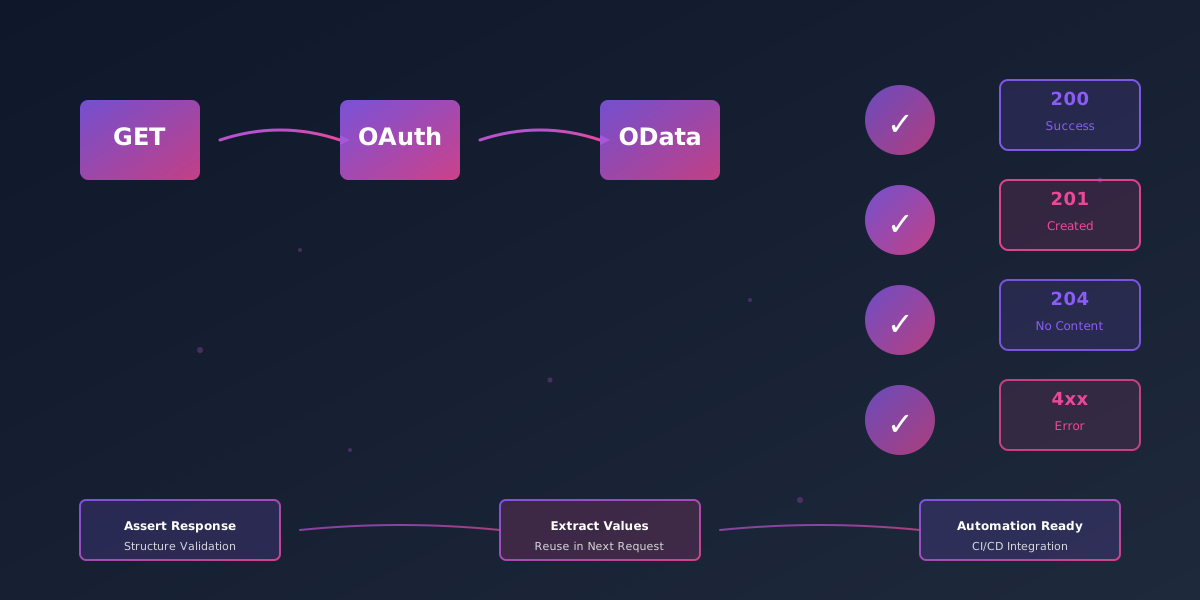
IFS and Postman: Testing OData APIs with Confidence
Using Postman to test and debug IFS OData APIs — OAuth setup, collection organization, test scripts, environment variables, and team sharing.
Published
IFS Cloud's OData APIs are powerful tools for integration, reporting, and custom development. But without a structured approach to testing and debugging, you'll spend hours chasing authentication errors, malformed queries, and elusive response validation issues. That's where Postman comes in.
This guide walks you through setting up Postman as your IFS OData testing and documentation hub—from OAuth 2.0 configuration through test automation in CI/CD pipelines.
Why Postman for IFS OData?
Postman is built for modern API workflows. For IFS specifically, it shines because:
- OAuth 2.0 support: IFS Cloud uses OAuth 2.0/OIDC for authentication. Postman can run the configured grant and attach the resulting bearer token without putting it in every request.
- Environment management: Switch between dev, test, and production endpoints without changing code—essential for safe IFS testing.
- Test scripts: Assert on response data using JavaScript—validate OData filters, ensure required fields exist, and catch breaking changes before production.
- Collections as documentation: Share your API workflows with teammates in a single, executable document.
- Postman CLI: Automate collection runs in Jenkins, GitHub Actions, or GitLab CI with Postman's recommended command-line tool.
Whether you're integrating with IFS Cloud financials, supply chain modules, or custom REST extensions, this approach keeps your tests organized, reproducible, and maintainable.
Part 1: Setting Up OAuth 2.0 Authentication
IFS Cloud supports OAuth 2.0/OIDC grant types for different clients. For interactive Postman testing, authorization code with PKCE is normally the safest choice. For unattended Postman CLI runs, use a separately registered confidential client and only a grant supported by your IFS release and IAM configuration.
Step 1: Register Your Application with IFS
Before you request tokens, you need credentials from your IFS tenant:
-
Log in to your IFS Cloud instance as an administrator.
-
Open the OAuth/IAM client administration page for your release. The navigator name varies, so use the official IFS authentication guide for the target version.
-
Create a new OAuth client with:
- Client Name: e.g., "Postman Testing"
- Grant Type: Authorization Code (with PKCE preferred)
- Redirect URI:
https://oauth.pstmn.io/v1/browser-callback - Scopes: only the scopes configured for that IFS client and integration
-
Copy your Client ID and, for a confidential registration that requires it, the Client Secret. You'll need these next.
Step 2: Create Your Postman Collection
- Open Postman and create a new collection: File > New > Collection → name it "IFS OData Testing".
- In the collection settings (three dots → Edit), go to the Authorization tab.
- Select Auth Type → OAuth 2.0.
- Check the Add auth data to dropdown and select Request Headers.
Step 3: Configure OAuth Parameters
In the Configure New Token section, fill in:
| Field | Value |
|---|---|
| Token Name | IFS Access Token |
| Grant Type | Authorization Code (with PKCE) |
| Callback URL | https://oauth.pstmn.io/v1/browser-callback |
| Auth URL | authorization_endpoint returned by OIDC discovery |
| Access Token URL | token_endpoint returned by OIDC discovery |
| Client ID | (from Step 1) |
| Client Secret | (only if the client registration requires it) |
| Scope | (the scopes configured for this client) |
Obtain the endpoints from the issuer's /.well-known/openid-configuration document; do not copy identity paths from another tenant because they have varied across releases and deployments.
Step 4: Generate Your First Token
- Click Get New Access Token.
- Postman will open your browser to authenticate with IFS.
- Log in with your IFS credentials.
- Authorize the Postman application.
- You'll be redirected back to Postman with an access token.
- Click Proceed → Use Token.
Tip: Treat access and refresh tokens as credentials. Keep them in Postman's local/vault-backed secret storage, do not sync or share them with a team, and confirm the selected grant's renewal behaviour. A client-credentials client commonly obtains a new access token instead of receiving a refresh token.
Part 2: Setting Up Collections and Environments
Now that OAuth is working, let's organize your tests for scale.
Collection Folder Structure
A well-organized IFS OData collection looks like this:
IFS OData Testing
├── 🔐 Auth (collection-level OAuth setup)
├── 📋 Overview (setup instructions)
├── Read-only Contract Tests
│   ├── Verify Authentication
│   ├── List Customers
│   └── Get Customer Details
├── Customers
│   ├── List Customers
│   ├── Get Customer Details
│   ├── Create Customer
│   └── Update Customer
├── Sales Orders
│   ├── List Orders
│   ├── Get Order with Items
│   ├── Create Order
│   └── Create Order Line Items
├── Inventory
│   ├── List Part Stocks
│   ├── Get Stock by Part ID
│   └── Update Stock
└── Health Checks
    ├── Verify Authentication
    └── Check API Health
Best practices:
- Group requests by IFS module (Customers, Orders, Inventory).
- Use descriptive names: "Get Customer by ID" beats "Request 1".
- Keep authentication at the collection level so all requests inherit it.
- Add a "Health Checks" folder for quick smoke tests.
Keep every POST, PATCH, DELETE, and business action outside the Read-only Contract Tests folder. Mutation examples in this guide belong only in an approved disposable development/test dataset. Never point them at production, and never schedule the whole mixed collection in CI. For additional defence, set an allow_mutation environment variable to false everywhere by default and add this pre-request guard to each mutating request:
Creating Environment Files for Dev/Test/Prod
Environments let you swap endpoints and credentials without editing requests. Create three environments:
Development Environment (IFS-Dev.postman_environment.json):
Production Environment (IFS-Prod.postman_environment.json):
Using environments in requests:
In a request URL, reference variables with {{variable_name}}:
{{ifs_base_url}}/{{projection_context}}/{{projection_version}}/{{projection_name}}.svc/{{entity_set}}
In the Environments panel (left sidebar), create and switch between environments. Postman substitutes the values automatically.
Part 3: Building OData Requests
OData queries in IFS follow a specific syntax. Let's build some real-world examples.
The customer names and payloads below are illustrative. First use API Explorer and $metadata to set projection_name, entity_set, property names, keys, writable capabilities, and action names for the exact service and release you are testing.
Example 1: List Customers with Filtering
Request:
GET {{ifs_base_url}}/{{projection_context}}/{{projection_version}}/{{projection_name}}.svc/{{entity_set}}?$filter=Status eq 'ACTIVE'&$top=50&$select=Id,Name,Status
Headers:
- Authorization (inherited from collection OAuth)
- Accept:
application/json - Content-Type:
application/json
OData query breakdown:
$filter=Status eq 'ACTIVE'— Filter to active customers$top=50— Return 50 records$select=Id,Name,Status— Return only these fields
Example 2: Get a Customer with Related Entities
GET {{ifs_base_url}}/{{projection_context}}/{{projection_version}}/{{projection_name}}.svc/{{entity_set}}('CUST001')?$expand=Orders($top=10;$orderby=OrderDate desc)
This retrieves a customer and their 10 most recent orders, expanded inline.
Example 3: Create a Customer
Run this illustrative request only in an approved non-production environment, with a disposable identifier and cleanup/reconciliation agreed in advance. Confirm from $metadata that the entity set is insertable and use the exact writable properties for that projection.
Request Type: POST
URL:
{{ifs_base_url}}/{{projection_context}}/{{projection_version}}/{{projection_name}}.svc/{{entity_set}}
Body (JSON):
Typical response: 201 Created. The response body/location and returned representation depend on the projection contract and any supported Prefer header, so assert the behaviour documented by the target service.
Example 4: Update a Customer
Run this illustrative request only against the disposable non-production record created for the test. Do not use a shared business customer.
Request Type: PATCH
URL:
{{ifs_base_url}}/{{projection_context}}/{{projection_version}}/{{projection_name}}.svc/{{entity_set}}('CUST999')
Body (JSON):
Typical response: 204 No Content. If the service supports and honours a return-representation preference, validate that documented alternative explicitly.
Send the entity's returned ETag in If-Match when the service exposes optimistic concurrency. Do not test a business lifecycle by PATCHing a status property unless metadata makes it writable; invoke the declared action instead.
Part 4: Writing Test Scripts with Assertions
Test scripts run after a response is received. They validate data, extract values, and catch regressions early.
Basic Status Code Test
In the Scripts → Post-response tab:
Validate Response Structure
Assert Specific Values
Extract a Value for Reuse
Test Response Time
Treat 500 ms as an illustrative threshold, not an IFS guarantee. Set the assertion from a measured environment-specific baseline or service-level objective, and allow for payload size and deployment conditions.
Validate OData Query Results
Chain Tests Together
For a create request whose projection documents 201 Created with a JSON representation—for example, after it honours Prefer: return=representation—test that exact contract rather than accepting several unrelated outcomes:
Handle Errors Gracefully
For an intentionally invalid request, make the error itself the contract. Do not let an unexpected 400 pass as an alternative to a successful response:
Part 5: Pre-Request Scripts for Dynamic Data
Pre-request scripts run before a request is sent. Use them to generate dynamic data, set variables, or enforce delays between requests.
Add Delay Between Requests
A setTimeout in a pre-request script does not postpone the request Postman is about to send. Configure pacing in the Collection Runner, or use the Postman CLI's --delay-request option:
Generate a Unique Customer ID
Set a Dynamic Authorization Header (Backup)
Prefer collection-level OAuth. If a local diagnostic request must use a token variable, mark the value sensitive/local and never export or sync it:
Part 6: Team Collaboration and Sharing
Sharing the Collection
- In Postman, click the collection → Share.
- Select Copy private link to generate a shareable URL.
- Share with teammates; they can fork and contribute.
Alternatively, export as JSON and commit to your Git repository:
- Right-click the collection → Export.
- Save as
IFS-OData.postman_collection.json. - Commit to your repo's
/postmanfolder.
Sharing Environments
Environments may contain sensitive data (client secrets, API keys). Best practices:
- Committed to Git: Export environments without secrets, commit as templates.
- Sensitive values in CI: Use Postman's cloud environments or store secrets in CI/CD secret managers (GitHub Secrets, GitLab CI variables).
The Postman CLI doesn't expose a general postman export command, so export the collection and secret-free environment from the Postman app. The resulting v2.1 JSON files can be run locally by the Postman CLI without signing in to Postman.
If your team adopts Postman v12 Native Git and its v3 YAML format, keep the Git-native collection directory instead. Newman (Postman's earlier command-line collection runner) cannot run that format, but the Postman CLI can. You can migrate an existing v2.1 collection when you are ready to change the repository layout:
Part 7: Automating Tests with Postman CLI and CI/CD
For new automation, use the Postman CLI. Postman still documents Newman, and it remains usable for v2.1 JSON collection runs, so calling it fully deprecated would be too strong. However, Postman now recommends the Postman CLI, and Newman cannot run Postman v12 Native Git collections in the v3 format or use the CLI's wider Postman feature set. Postman provides an official Newman-to-Postman CLI migration guide.
Install the Postman CLI
Run a Local Collection
That reporting example assumes a v2 JSON collection. For v3 YAML collections, the Postman CLI currently supports the CLI reporter only, so use --reporters cli.
Local files do not require a Postman login or Postman API key. IFS authentication is separate: obtain a short-lived IFS access token at runtime with the confidential client registered for CI, mask it in the job log, and expose it to a collection configured with Bearer {{access_token}} without putting the token in Postman CLI arguments.
Create postman/create-runtime-environment.mjs to copy the committed secret-free environment into a protected runtime file:
After an approved token-acquisition command has made IFS_ACCESS_TOKEN available to the current process, run the collection with only the protected file path in argv:
Do not store an access token in the exported collection or committed environment, and do not enable shell tracing around token handling. The runtime file is still a secret: create it on an isolated runner, restrict its permissions, and delete it even when the run fails. Also remember that JSON, JUnit, and HTML reports can contain request or response data. Treat them as sensitive build artefacts; for JSON and HTML reports, also consider the reporter omission flags.
Run Collections Stored in Postman Cloud
To run a cloud collection by ID and publish its run in Postman, authenticate the CLI with a restricted Postman API key held in your CI secret manager. This API key authenticates to Postman; it is not the IFS OAuth credential. The currently documented API-key login flow accepts the key as a command argument, so do not use it on a shared workstation or long-lived self-hosted agent. Prefer local files, or perform the documented login on an isolated ephemeral runner and remove its authentication state afterwards.
Once the CLI is authenticated in that suitable environment, the run itself needs only the cloud resource IDs:
Add --region eu to postman login if your Postman organisation uses EU data residency. Prefer the local-file workflow when you do not need cloud resources or uploaded run results.
GitHub Actions Example
Create .github/workflows/ifs-api-tests.yml:
Jenkins Pipeline Example
Interpreting Postman CLI Output
The Postman CLI generates a summary:
┌─────────────────────────┬──────┬──────┐
│ Name                    │ Pass │ Fail │
├─────────────────────────┼──────┼──────┤
│ Verify Authentication   │ 1    │ 0    │
│ List Customers          │ 1    │ 0    │
│ Get Customer Details    │ 1    │ 0    │
├─────────────────────────┼──────┼──────┤
│ Total Requests          │ 3    │ 0    │
└─────────────────────────┴──────┴──────┘
A non-zero failure count exits with code 1, so the read-only contract run can gate deployments without creating or modifying IFS business data.
Part 8: Common OData Patterns for IFS
Pagination (Handle Large Datasets)
GET {{ifs_base_url}}/{{projection_context}}/{{projection_version}}/{{projection_name}}.svc/{{entity_set}}?$top=100&$count=true
Follow the server-provided next link rather than calculating $skip pages yourself:
Use {{next_page_url}} as the next runner request URL and validate that its origin is the expected IFS host before following it.
Searching with Operators
GET {{ifs_base_url}}/{{projection_context}}/{{projection_version}}/{{projection_name}}.svc/{{entity_set}}?$filter=contains(Name, 'ABC') or startswith(Name, 'XY')
Sorting
GET {{ifs_base_url}}/{{projection_context}}/{{projection_version}}/{{projection_name}}.svc/{{entity_set}}?$orderby=CreatedDate desc,Name asc
Batch Operations
Some IFS APIs support batch requests in a single POST. Check your API documentation for the batch endpoint format.
Part 9: Debugging Tips
Use the Postman Console
Press Ctrl+Alt+C (or Cmd+Alt+C on Mac) to open the console. View:
- Request and response headers
- Request body
- Response body
console.log()output from scripts
Enable Network Request Logging
In Postman Settings → General, enable Request logging to see raw HTTP traffic.
Test Against Multiple Environments
Switch environments in the top-right dropdown. Each request automatically uses the correct variables.
Verify Variables
Hover over {{variable}} in a request to see its current value.
Check OAuth Token Expiry
In the collection Authorization tab, click Manage Tokens to see token expiration time and refresh status.
Part 10: Best Practices Summary
| Practice | Benefit |
|---|---|
| One collection per API | Easier to maintain and share |
| Folder structure by entity/module | Quick navigation for large collections |
| Meaningful request names | Team members find what they need |
| Environment-based URLs | Safe switching between dev/test/prod |
| Pre- and post-request scripts | Automate setup, validation, and cleanup |
| Version control your collection | Track changes, collaborate safely |
| Read-only CI/CD runs | Catch contract changes without mutating data |
| Documented test intent | Explain why a test exists in comments |
| Individually issued local tokens | Traceability and smaller credential exposure |
| Monitor API performance trends | Identify slowdowns before they impact users |
Conclusion
Postman transforms IFS OData API testing from a manual, error-prone chore into a repeatable, automated process. By organizing collections, automating authentication, writing meaningful tests, and integrating with CI/CD, you gain confidence in your integrations—and catch issues before they reach production.
Start small: set up OAuth, create one folder of requests, write a few assertions, and run locally. Once you see the value, expand to the full suite and integrate the Postman CLI into your pipeline.
Your future self (and your team) will thank you.
Next steps:
- Set up OAuth 2.0 authentication with your IFS instance
- Create your first collection following the folder structure above
- Write pre- and post-request scripts for at least three endpoints
- Export the collection and commit it to your Git repository
- Integrate the Postman CLI into your CI/CD pipeline
For more help, consult the Postman CLI documentation and your IFS API documentation.
Want a cleaner way to test and share IFS API calls?
Syrett Consultancy can help your team set up Postman collections, environments, and repeatable API test workflows.