Git Hooks for IFS Development: Automated Quality Gates
Using Git hooks to enforce code quality in IFS development — pre-commit/pre-push validation, Husky configuration, PL/SQL linting, and preventing CI failures before they happen.
Published
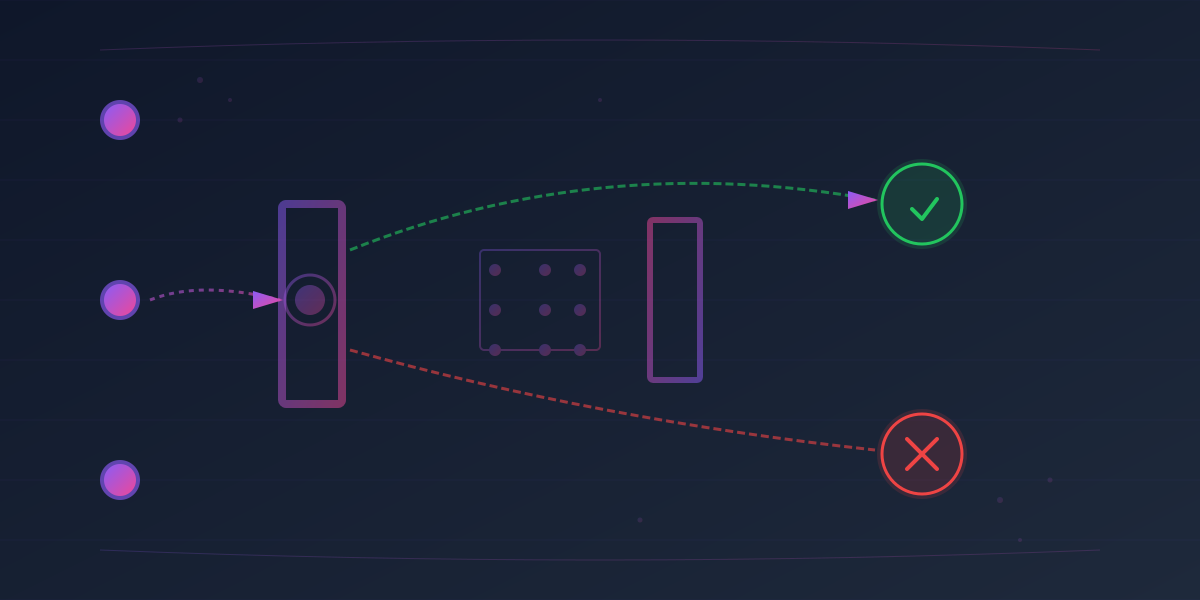
In IFS development environments, code quality issues that slip through to CI/CD pipelines create bottlenecks, frustrate developers, and delay deployments. By the time a failed build appears in your pipeline, it's already too late — you've burned CI/CD resources, blocked teammates, and lost development momentum. Git hooks offer a better way: automated quality gates that run before code ever reaches your repository, catching issues on the developer's machine where they're fastest and cheapest to fix.
This guide walks you through implementing Git hooks for IFS development teams, from foundational concepts to production-ready Husky configurations, PL/SQL linting, and practical team workflows.
What Are Git Hooks?
Git hooks are scripts that execute automatically at specific points in your Git workflow. They live in the .git/hooks directory of every repository and can be written in any language — Bash, Python, Node.js, or custom shell scripts.
Git provides two categories of hooks:
- Client-side hooks: Run on your local machine during operations like commit, push, and merge. Pre-commit and pre-push hooks are the most commonly used.
- Server-side controls: A self-managed bare Git server can run
pre-receive/updatehooks. Hosted GitHub, GitLab, and Azure Repos normally expose branch protection, required checks, merge rules, and provider policy features instead of letting repository users install arbitrary server hooks.
For IFS development, client-side hooks catch issues early and prevent broken code from reaching CI. Server-side hooks provide additional safety nets for critical branches.
Key Client-Side Hooks for Quality Gates
| Hook | Trigger | Common Use Cases |
|---|---|---|
pre-commit | Before commit creation | Linting, formatting, file checks |
pre-push | Before pushing to remote | Running tests, type checking, static analysis |
commit-msg | Before commit message is finalized | Validating commit message format (Conventional Commits) |
post-checkout | After branch switch | Setting up environment, updating dependencies |
How Exit Codes Control Flow
Git hooks control execution flow via exit codes:
- Exit 0: Allows the operation to proceed
- Non-zero exit: Aborts the operation (commit/push blocked) and displays error output
This is the foundation of the quality gate: your hook script runs checks, and only if all checks pass does Git allow the operation to complete.
Why Git Hooks Matter for IFS Development
IFS projects often involve PL/SQL, configuration changes, XML, and integration layers where manual code review alone isn't sufficient. A single misplaced semicolon, missed syntax validation, or forgotten password exposure in configuration can cascade through a full CI pipeline.
Concrete benefits of Git hooks in IFS environments:
- Fail fast, locally: Catch syntax errors, linting failures, and test failures before pushing. Fix them immediately while context is fresh.
- Prevent secrets leakage: Block commits containing hardcoded passwords, API keys, or private keys before they're ever pushed.
- Enforce commit conventions: Ensure your team's commit messages follow standards (e.g., Conventional Commits), improving git log clarity and automated changelog generation.
- Reduce CI resource waste: Tests that pass locally don't waste CI/CD minutes. Your pipeline stays fast and focused on integration-level concerns.
- Team consistency: Hooks distributed via version control ensure every developer runs the same checks, eliminating "it works on my machine" surprises.
- PL/SQL quality: Integrate SonarQube, SQLFluff, or dbLinter to catch Oracle/PL/SQL antipatterns before review.
Setting Up Your First Git Hook
The manual approach: create a script in .git/hooks/ with the appropriate name and make it executable.
When you next run git commit, this hook runs automatically. If it exits with code 1, Git aborts the commit and shows the error message.
Limitations of manual hooks:
- Hooks in
.git/hooks/aren't version controlled — they don't sync when teammates clone or pull - Team members must manually copy hooks or run setup scripts
- Scaling beyond a few developers becomes fragile
For anything beyond a single developer, use a hook manager like Husky (Node.js/JavaScript projects) or the pre-commit framework (Python, multi-language teams).
Husky: Modern Git Hooks for Node.js Projects
Husky is a lightweight, popular hook manager for JavaScript/TypeScript projects. It automatically installs and manages hooks, syncing them across your team via Git.
Installation and Setup
The prepare script ensures hooks are installed whenever someone runs npm install.
Creating Your First Hook with Husky
husky add belongs to older Husky documentation. Current Husky creates a sample .husky/pre-commit during husky init; edit that tracked file and create .husky/pre-push as a normal executable text file. When developers install dependencies and then commit or push, Git invokes the corresponding files.
Example: Complete Husky Configuration for IFS Projects
package.json:
When developers push, Husky runs the test suite. If tests fail, the push is blocked and developers get immediate feedback.
Skipping Hooks (When Necessary)
Sometimes you genuinely need to bypass hooks — during emergencies, CI/CD-only commits, or when troubleshooting.
In CI environments, disable Husky:
PL/SQL Code Quality with Git Hooks
IFS development frequently involves PL/SQL stored procedures, packages, and functions. Git hooks can integrate static analysis tools to catch some issues before commit. A generic parser does not replace compilation in the target IFS/Oracle build or Developer Studio model validation.
Popular PL/SQL Linting Tools
| Tool | Type | Integration |
|---|---|---|
| SonarQube / SonarCloud | Comprehensive static analysis | Via sonar-scanner CLI |
| SQLFluff | SQL style/parser checks; Oracle dialect coverage varies by construct | CLI via shell hook |
| dbLinter | Oracle-specific quality checks | CLI or IDE integration |
| ZPA | PL/SQL parser and analyzer | SonarQube plugin |
Example: SQLFluff Integration in Pre-Commit Hook
This hook uses Bash arrays, so its shebang is intentionally #!/usr/bin/env bash. Pin a tested SQLFluff release/configuration and exclude generated sources where appropriate. Passing this check proves neither PL/SQL compilation nor compatibility with generated IFS APIs.
Advanced: SonarQube in CI
Sonar analysis and quality-gate evaluation are normally better in CI: scans can take time, server results can be asynchronous, and developers should not need a long-lived token in a local hook. Configure the CI integration to wait for the quality gate using the scanner/provider's supported mechanism rather than immediately querying a project-wide status that may belong to an earlier analysis.
Custom Shell Scripts for IFS-Specific Checks
Beyond language-specific linters, you can write custom hooks for IFS-specific validation:
Example: Checking for Committed Secrets
A few regular expressions over working-tree filenames miss encoded, high-entropy and renamed secrets, mishandle filenames with spaces, and may scan content different from the staged blob. A purpose-built scanner is a stronger local control. Run it again in CI and enable the hosting provider's secret scanning; a local hook can always be bypassed. If a real secret is committed, revoke/rotate it even if the commit has not been pushed.
Example: Validating XML Configuration Files
This XML example also requires Bash because it uses arrays/process substitution. For an exact staged-content check, use lint-staged (which temporarily isolates staged changes by default) or feed each blob from git show :"$file" to a validator.
Example: Commit Message Validation (Conventional Commits)
Team Workflow: Sharing Hooks Across Developers
Git hooks in .git/hooks/ aren't version controlled, so they don't automatically sync when teammates clone or pull. Use one of these approaches:
Approach 1: Husky (Recommended for Node.js Teams)
Husky installs hooks into a .husky/ directory that's version controlled. When a teammate clones the repo and runs npm install, the prepare script automatically installs hooks.
Pros: Simple, automatic, no extra setup steps Cons: Requires Node/npm in the contributor bootstrap even when the checked commands are for PL/SQL or XML
Approach 2: Hook Manager (Pre-commit Framework)
The pre-commit framework (Python) works across any language and is widely adopted in multi-language projects:
Setup:
Approach 3: Setup Script (Git-Based Distribution)
Create a setup script in version control:
Team members clone the repo and run:
Best Practices for Production Hook Configuration
1. Keep Hooks Fast
Slow hooks frustrate developers. Keep pre-commit checks short enough that the team will run them consistently; measure the repository rather than imposing a universal five-second threshold.
GNU timeout is not installed by default on macOS and also merges “timed out” with “lint failed” in simplistic wrappers. Cross-platform JavaScript tooling or CI job timeouts are more predictable.
2. Parallel Execution for Multiple Checks
Run independent checks in parallel to save time:
3. Provide Clear, Actionable Error Messages
Developers should know exactly what failed and how to fix it:
4. Disable Hooks on CI Servers
CI pipelines shouldn't run client-side hooks — they run their own checks:
5. Version Control Hook Scripts
Store hooks in version control and reference them from .husky/ or .git/hooks:
The legacy _/husky.sh bootstrap is deprecated in Husky 9 and scheduled to fail in Husky 10; current hook files can invoke the command/script directly.
This keeps your hooks in sync with your codebase and allows code review of hook changes.
Troubleshooting Common Issues
Hook Not Executing
Symptoms: Hook script exists but isn't running.
Solution:
Hook Failing on CI/CD
Symptoms: Hooks work locally but fail in CI pipeline.
Solution: Detect CI environment and skip hooks:
Windows Line Endings Breaking Hooks
Symptoms: command not found or /bin/bash^M: bad interpreter errors on Windows.
Solution:
Choose the team's core.autocrlf setting deliberately; changing it globally is not a safe universal repair. Renormalise reviewed hook files after adding .gitattributes, then verify executable bits on platforms that track them.
Integration with CI/CD Pipelines
Git hooks prevent obvious failures locally, but your CI pipeline should still run comprehensive checks. Think of hooks as early warning systems, not complete replacements.
Layered Quality Strategy
- Local hooks (pre-commit/pre-push): Fast, language-level checks (linting, formatting, basic tests)
- CI pipeline (GitHub Actions, GitLab CI, Jenkins): Slower, comprehensive checks (full test suite, security scanning, build verification)
- Hosted-repository policy (required checks, reviews and protected branches) or self-managed
pre-receivehooks: authoritative enforcement that local--no-verifycannot bypass
Example GitHub Actions workflow:
Key Takeaways
-
Git hooks catch issues before CI: Blocks broken code from ever reaching your pipeline, saving time and frustration.
-
Use a hook manager: Husky (Node.js) or pre-commit framework (multi-language) automate hook installation and keep teams synchronized.
-
Combine multiple checks: Linting, formatting, tests, PL/SQL analysis, and commit message validation work together to maintain quality.
-
Make hooks configurable: Allow developers to skip hooks when necessary (with
--no-verify), but ensure they understand the risk. -
Keep hooks fast: Slow hooks get bypassed. Aim for < 5 seconds per hook.
-
Provide clear feedback: When a hook fails, developers should know exactly what failed and how to fix it.
-
Complement with CI/CD: Hooks prevent obviously broken code locally; CI/CD pipeline runs slower, comprehensive checks.
-
Team consistency: Share hooks via version control and hook managers so all developers enforce the same standards.
Getting Started Today
Start simple:
Next, add PL/SQL linting, commit message validation, or secret detection hooks as your team's needs dictate. Start with one hook, validate it works reliably, then expand.
Your CI/CD pipeline will thank you.
Need stronger quality gates in your IFS development workflow?
Syrett Consultancy can help you implement Git hooks, validation scripts, and team standards that catch problems earlier.