
Automatically Document IALs
Automatically document all IALs in your IFS instance with Node.js.
Published
In our previous post, we explained how to automatically generate Word documents using Node.js, pulling data from a JSON array.
This post takes that concept one step further and uses data from an Oracle database to generate Word documents. This Apps 10/on-premises example creates a document for each IAL. It assumes authorised database access; it is not a pattern for IFS-managed Cloud, where customers do not receive direct access to the application schema. The same Node.js and Oracle pattern can be adapted to other authorised database documentation tasks by changing the query and substitution tags.
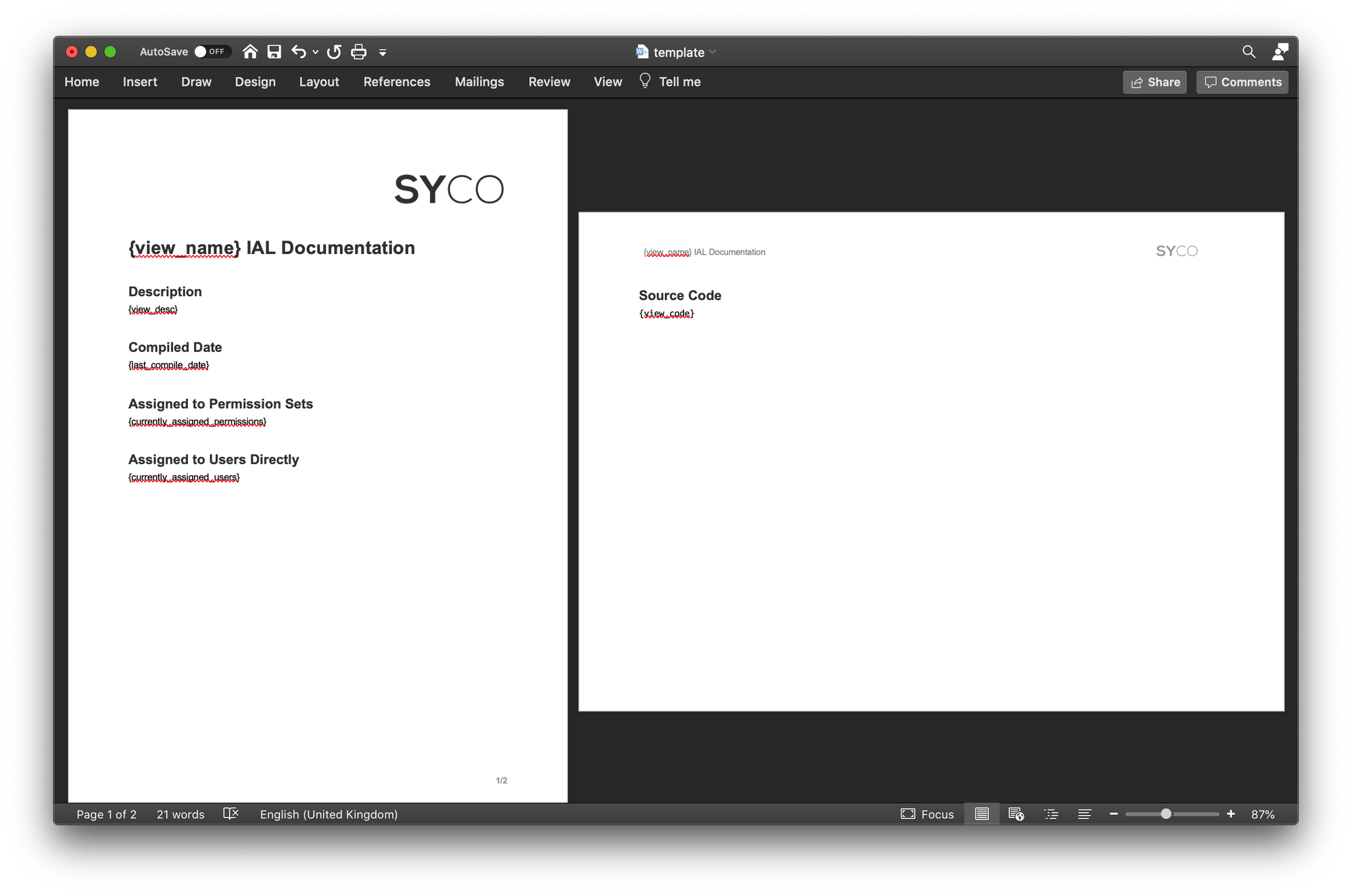
The Word document template has been adjusted to include the tags we need: view_name, view_desc, view_code, currently_assigned_permissions, currently_assigned_users and last_compile_date and has been formatted properly.
 We'll use the source code from the previous post as a starting point but remove the JSON array and
 for loop.
To connect to an Oracle database from Node.js, we need one additional dependency: oracledb. Current node-oracledb versions use Thin mode by default and therefore do not require Oracle Client libraries when connecting to Oracle Database 12.1 or later. An older Apps 10 database on Oracle 11.2 requires Thick mode with a compatible Oracle Client, as do some authentication and network configurations; follow the current node-oracledb installation documentation for your chosen mode.
To install the oracledb dependency, execute the following command in your terminal:
npm install oracledb
And include the package at the top of the code of the index.js file:
Do not put an application-owner password in source code. Use a DBA-approved metadata/reporting account with only the access needed for this Apps 10 task, and inject its details through environment variables or an organisation-approved secret store. A small local dbconfig.js can read those variables:
IFS_DOC_DB_CONNECT_STRING can be an Easy Connect string such as host:1521/service_name. A TNS alias also works, but current Thin mode does not automatically locate tnsnames.ora: provide its directory through the driver's configDir option or other documented configuration. Thick mode follows Oracle Client network configuration. See the current node-oracledb connection-string documentation for the supported choices.
Include the connection information by requiring it after the other dependencies in index.js
At this stage, prepare the SQL statement to execute. The query gets the IAL name, code, description, last compile time and the users or roles visible to the documentation account.
The schema names matter. In a conventional Apps 10 installation, IFSAPP is the application owner and IFSINFO is the IAL owner, but the IAL owner is configured by the IAL_USER setting and both names can differ. The IFS implementation creates the source view as <NAME>_IAL and the exposed IAL view as <NAME>, which is why the query reads source from the former but checks grants on the latter. Confirm the two owners with the DBA and replace every occurrence consistently.
ALL_VIEWS, ALL_TAB_PRIVS and ALL_OBJECTS show only metadata visible to the connected account. An application-owner session can normally see grants that it made, while a separate reporting account may see only a subset. For a complete estate, ask the DBA for a constrained reporting view or an approved metadata extract; otherwise label the output as partial. Do not add broad dictionary privileges merely to make this tutorial return more rows.
On older Oracle releases, LISTAGG raises ORA-01489 if a grant list exceeds the SQL string limit. Most IALs have short lists, but estates with many direct grants should use a DBA-approved CLOB aggregation instead of silently dropping entries.
After the error handling functions, create an asynchronous function named run to create the connection to the Oracle DB and pass in an option to return the results as an object.
Next, define the SQL statement that needs to be executed, execute the command and store the results in the result variable.
From here, generating the actual Word documents using this data is essentially the same as in the previous post: loop through the rows array in the result variable, render the substitution data and output the file.
The only differences to the previous post are that this data has line breaks in it (when displaying the assigned users/roles), so an extra option is passed to Docxtemplater:
The result-object keys do not match the document tags exactly, so pass a mapped object to the current render API. Older 2020 versions commonly used setData followed by render(), but setData is now deprecated:
Apart from those two parts, the rest of the code is the same. Create the output directory once before entering the loop:
IFS IAL names are Oracle identifiers, so they are suitable for the filenames shown here. If you adapt the script to free-text names, validate and sanitise the filename as demonstrated in the previous post.
Finish off by catching any connection errors and if everything goes well, close the connection to the database.
Lastly, call the run function.
To execute the code, run the same command from the previous post in your terminal window.
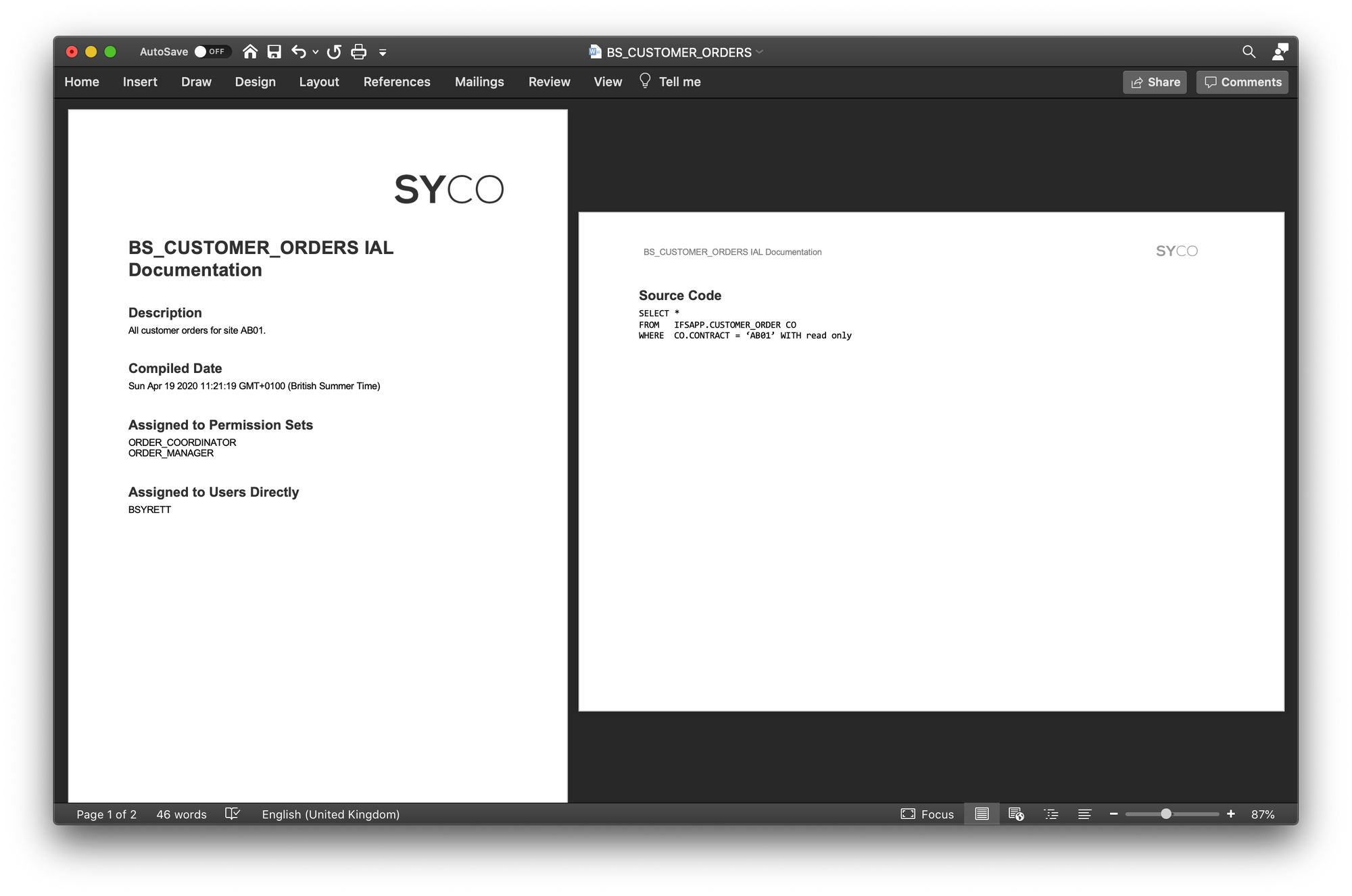
One document per IAL will now be created. An example of this can be found below:
Need clearer documentation for your IAL estate?
Syrett Consultancy can help you catalogue IALs, explain dependencies, and make reporting logic easier to support.
Source Code
dbconfig.js
document-ials.js